Tutorial 1 of 8
Your first CRM in five minutes
Beginner 5 min
Open a Rapport template, find your way around deals, contacts and companies, add your first contact and see everything that happened with a person on the timeline.
Rapport is a CRM: one place for the people you work with, the companies they belong to, the deals you hope to win and everything you did to win them. You can use it without an account — your CRM then autosaves in this browser. Sharing it with your team is covered in Share your CRM with your team.
Start from a template
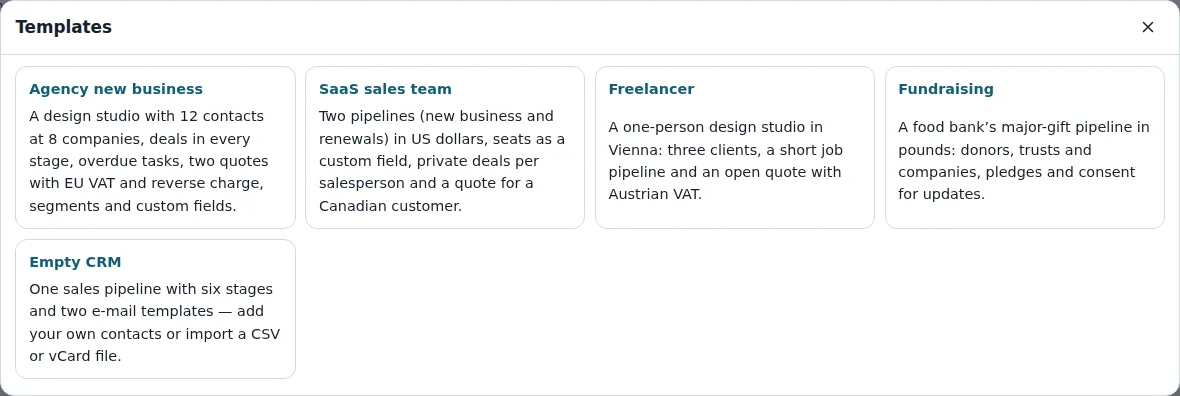
Choose File → Templates… to see five ready-made CRMs:
- Agency new business — a design studio with deals in every stage, quotes and segments
- SaaS sales team — two pipelines in US dollars and private deals per salesperson
- Freelancer — a one-person studio with three clients
- Fundraising — a food bank's major-gift pipeline in pounds
- Empty CRM — one sales pipeline and two e-mail templates, ready for your own data
A template opens as a new CRM. Its dates are set relative to today, so some tasks are always due and some deals close soon. Everything in a template is invented, so feel free to try things out — Edit → Undo (Ctrl+Z) takes back any change.
Seven views
The tabs below the menu bar switch between the seven views. Press the number keys 1 to 7 to jump straight to one:
- Deals — your pipeline as a kanban board or a table
- Contacts — the people, with company, tags and lawful basis
- Companies — organisations with their contacts and open deal value
- Activities — calls, meetings, tasks, notes and e-mails, grouped into overdue, today and upcoming
- Quotes — offers with line items and VAT
- Dashboard — pipeline value, forecast, win rate and sales cycle
- Segments — saved filters such as “decision makers with marketing consent”
The status bar at the bottom shows who you are, whether the CRM is local or shared, and how many contacts and deals it holds.
Add a contact
Press N in the Contacts view (or use New → New contact…). Fill in a name or an e-mail address, choose the company and save with Add contact. Rapport then opens the full record: the form on the left, and on the right the person's deals, activities, relationships and timeline.
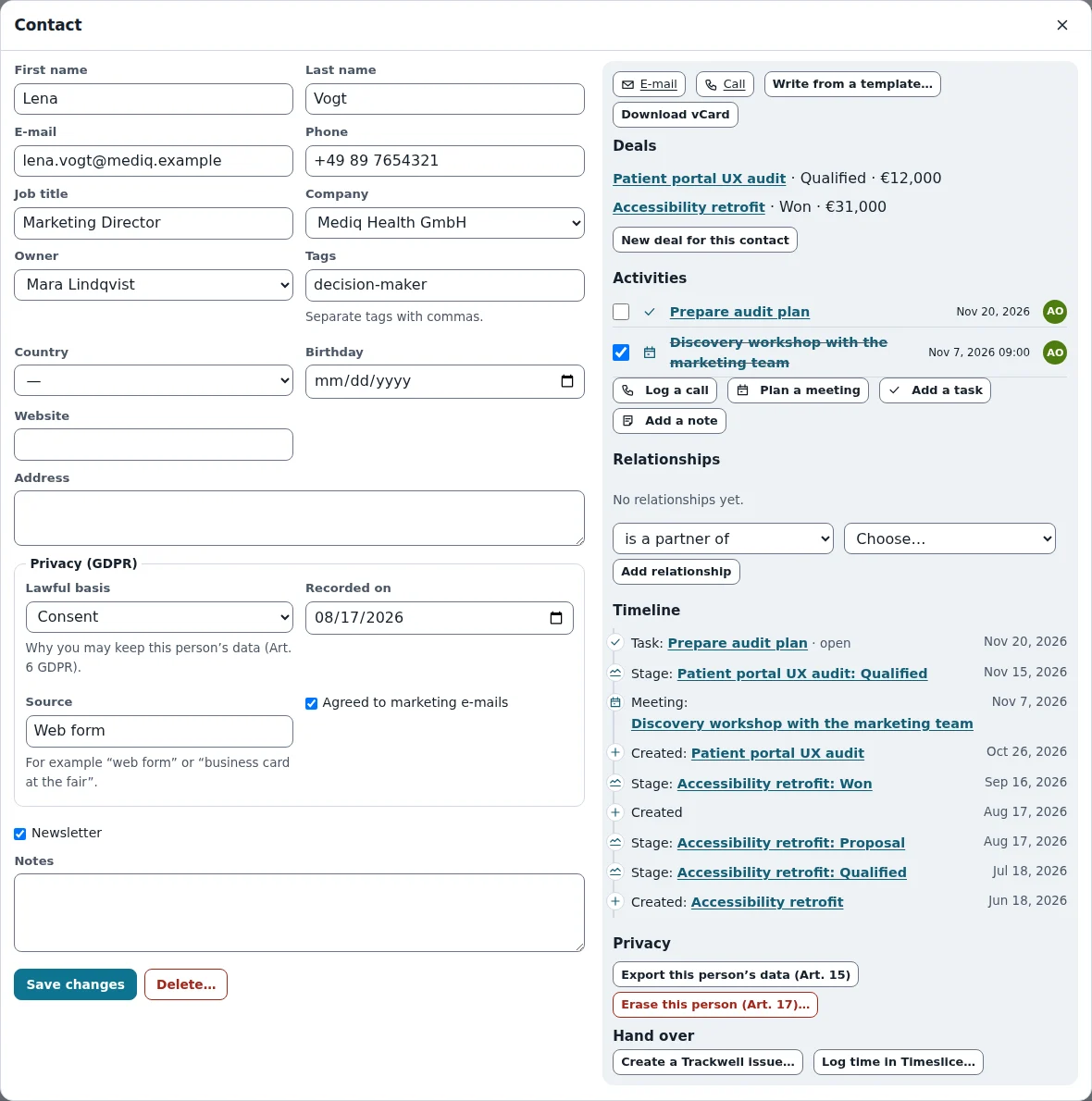
Tags are separated by commas, for example decision-maker, newsletter. Custom fields you add under CRM → Custom fields… appear in the form as well.
Companies and relationships
Companies have a domain, industry, size, country and VAT ID. People belong to one company, and the Relationships box on a record links anything else: Lena reports to Tobias, Mediq Health is the parent company of Mediq Pharma, Pixelwerk is a partner of your studio. Each relationship shows on both records.
The timeline
Every contact, company and deal has a Timeline: when it was created, each call, meeting and e-mail, stage changes of its deals and quotes that were made. Click an entry to open it. Done activities count as the last contact, which the Contacts table shows and which the GDPR retention review uses.
Keep your CRM
Rapport autosaves in this browser. File → Save file (Ctrl+S) writes a .rapport.json file you can keep anywhere, File → Recent CRMs… lists the ones stored in this browser, and File → Export… offers CSV, vCards and a share link. Bundlekeep can back up all your Rapport CRMs at once.
Ready to try it?