Tutorial 8 of 8
Share your CRM with your team
Advanced 8 min
Save your CRM to a Teamspaces workspace, decide who edits and who only reads, keep each salesperson's deals private if you like, and hand customers over to Trackwell and Timeslice.
Without an account Rapport is a CRM for one person in one browser. With Teamspaces your whole team works in the same CRM: everyone sees changes as they happen, and the server — not the app — decides who may see and change what.
Save to a workspace
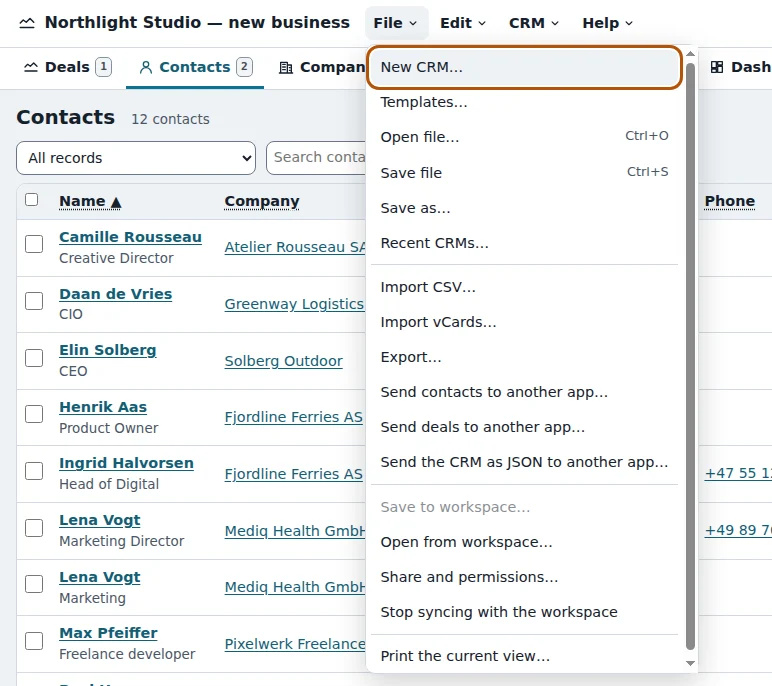
Choose File → Save to workspace…. If you are not signed in yet, Rapport asks you to sign in with a passkey or Google; then pick a workspace (or create one) and confirm. From now on the chip in the menu bar shows the workspace, who else has the CRM open and whether everything is saved. Changes sync automatically a moment after you make them.
Your colleagues open it with File → Open from workspace… or a link you share from File → Share and permissions…. File → Stop syncing with the workspace turns the shared CRM back into a local copy in your browser.
How a shared CRM is stored
A shared CRM is not one big file. Rapport splits it into documents so the server can enforce access per document:
- the CRM — contacts, companies, relationships, products, e-mail templates, segments, custom fields, pipelines, settings, and activities and quotes not tied to a deal
- one deal book per member — that person's deals with their activities and quotes
- one deal summary per member — the same deals without titles, people or notes: only stage, value, probability and dates
When you save a local CRM to a workspace, its deals move into your own deal book. Each member's book and summary is created the first time they open the CRM.
Roles
The workspace roles map to the CRM like this:
| Role | In Rapport |
|---|---|
| Owner, admin | see and change everything, change the settings and the privacy of deals |
| Member | add and edit contacts, companies, deals and activities |
| Viewer | read everything they may see, change nothing |
| Guest | sees nothing of the CRM |
Viewers get a read-only notice at the top, the New commands are switched off and every form opens without its save button. Guests do not even see the CRM in the workspace's document list.
Private deals per person
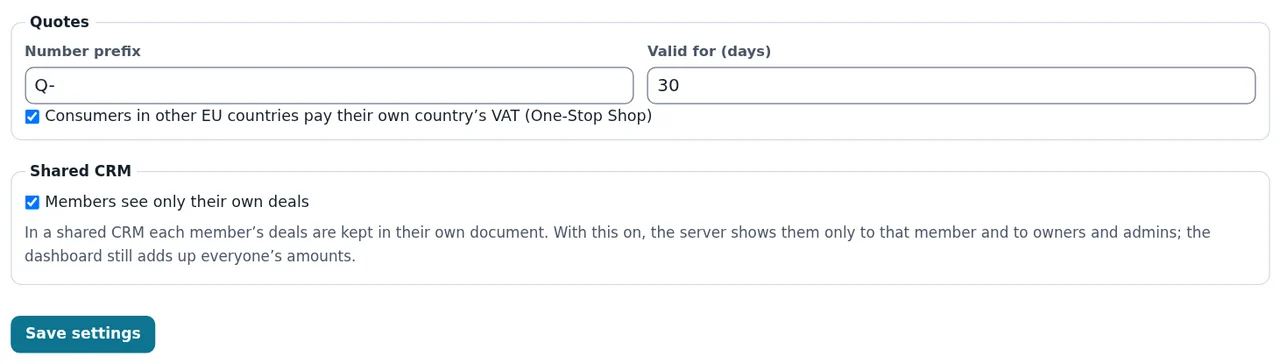
In CRM → Settings… an owner or admin can switch on Members see only their own deals. Rapport then changes the access rules of every member's deal book on the server: members and viewers can no longer open their colleagues' deal books at all — not in the app and not through the API — while owners and admins still see and edit everything. Only owners and admins can change this switch. The dashboard still adds up everyone's numbers from the deal summaries, so the forecast and win rate stay right for the whole team without showing who the customers are.
When two people edit at once
Rapport merges changes record by record: if you edit one contact while a colleague edits another, both changes stay. Only when two people change the same record at the same moment does Rapport ask whether to keep your version, take theirs or save yours as a copy.
Hand over to Trackwell and Timeslice
Customers often need more than sales. In a contact, company or deal, the Hand over section offers:
- Create a Trackwell issue… — opens Trackwell with a new support issue for this customer, with the contact and deal in the description.
- Log time in Timeslice… — opens Timeslice with a time entry for this client (or deal) for today, ready to adjust.
Both use the App Bridge, so nothing is uploaded: the data goes from one tab to the other in your browser. Contacts and deals can also be sent to any other app that reads tables with File → Send contacts to another app….
Ready to try it?